 Introducing our latest enhancement on Accounting module, which will improve your system experience and usability.
ZATCA Status Report with Filtering and Export Options
We’re excited to introduce the enhanced Implement ZATCA Status Report with Filtering and Export Features to help you gain better insights and transparency in your reporting!
⚙️ Functionality

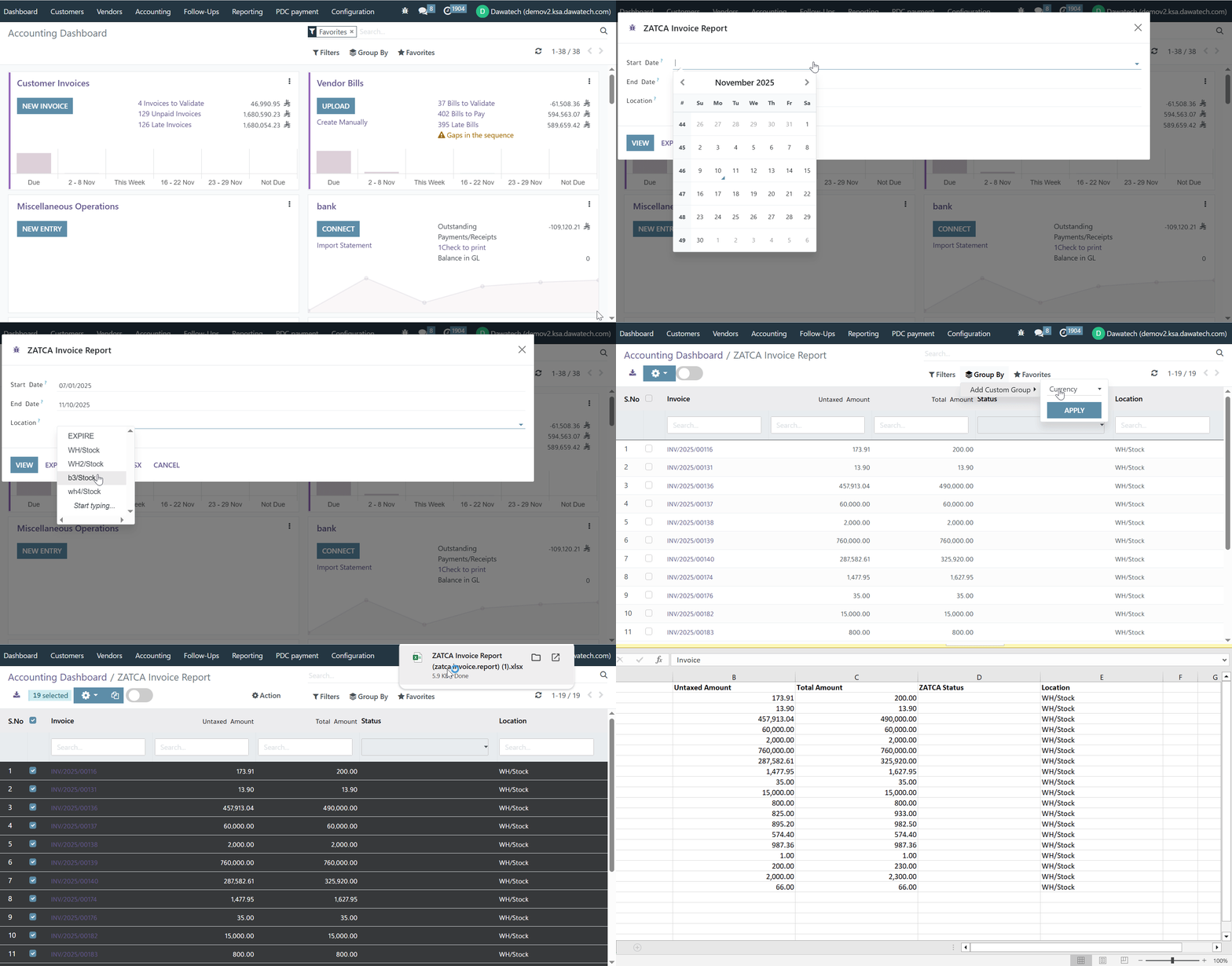
A new ZATCA Invoice Report has been added under the Reporting menu to provide better visibility and management of ZATCA invoice statues:

•    Added a new ZATCA Invoice Report under the Reporting me
•    The report displays key details related to all ZATCA invoice
•    Implemented filtering options to easily search and sort invoices based on different criteria
•    Enabled export features allowing users to download reports in Excel and PDF formats.
•    Added a bulk submission action for submitting multiple non-submitted invoices at once directly from the report view.
✨ Value

Improves efficiency in tracking and managing ZATCA invoice statuses.

Reduces manual effort through bulk submission capabilities.

Enhances data accessibility and reporting flexibility with export options.

Ensures better compliance monitoring and streamlined operations for finance and audit teams.
Stay compliant and in control with the new and improved ZATCA Status Report with Filtering and Export Options!
Was this article helpful?
That’s Great!
Thank you for your feedback
Sorry! We couldn't be helpful
Thank you for your feedback
Feedback sent
We appreciate your effort and will try to fix the article