
Introducing our latest enhancement on sales module, which will improve your system experience and usability.
Add Subtotal Before and After Tax in Commission Report
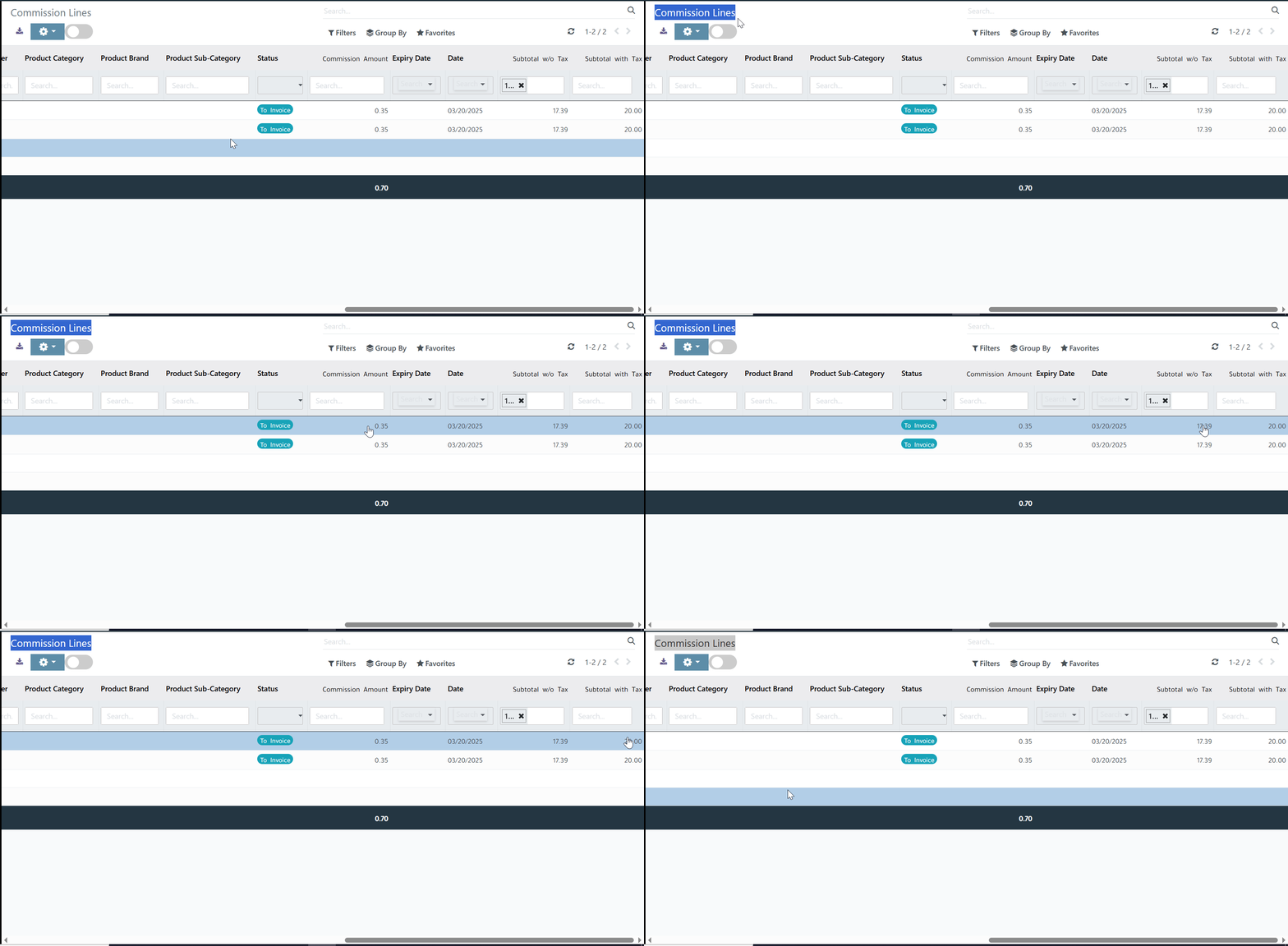
We’ve improved the Sales Commission Analysis Report to give users a clearer picture of sales performance. The report now includes two new fields Subtotal w/o Tax and Subtotal with Tax making it easier to review totals both before and after tax calculations.
⚙️ Functionality

The report now displays:
- Subtotal w/o Tax: Shows total sales amounts excluding tax.
- Subtotal with Tax: Shows total sales amounts including tax.
These additions make it easier to analyze commissions and understand how taxes affect sales totals, providing more transparency in reporting and decision-making.
✨ Value

This enhancement delivers clearer insights and improved accuracy in commission calculations. Users can now:
- Quickly distinguish between pre-tax and post-tax sales totals.
- Make better financial and performance analyses.
- Save time by avoiding manual tax adjustment.
Better visibility, smarter reporting enjoy a more complete and accurate sales commission analysis experience!
Was this article helpful?
That’s Great!
Thank you for your feedback
Sorry! We couldn't be helpful
Thank you for your feedback
Feedback sent
We appreciate your effort and will try to fix the article