
Introducing our latest enhancement on Purchase module, which will improve your system experience and usability.
Display Best Vendor & Best Calculated Cost on PO Lines
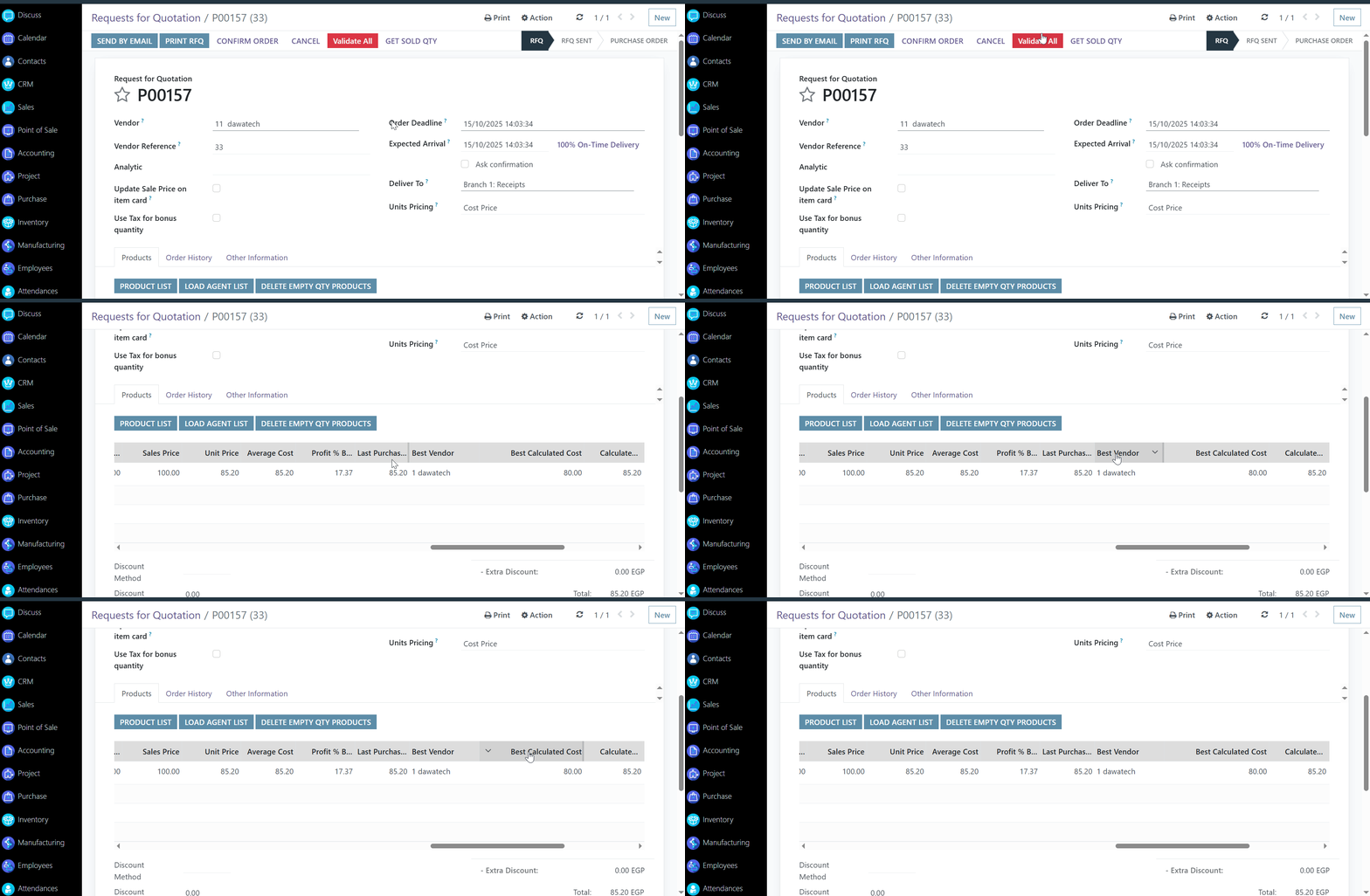
Make smarter purchasing decisions, faster. We’ve added two new fields to the Purchase Order lines that give buyers more visibility and insight without leaving the PO screen.
⚙️ Functionality

We added two informative fields to each Purchase Order line

• Best Vendor – Auto-fills with the vendor offering the most favorable terms for the product
• Best Calculated Cost – Shows the lowest total cost based on vendor pricing and product data
These values are pulled directly from the Product Item Card (Purchase section), so you always have up-to-date vendor and cost information while creating or reviewing purchase orders.
✨ Value

This enhancement simplifies vendor comparison and cost evaluation—right where you need it. No more toggling between screens or second-guessing vendor choices.
With this update, you can:

- Choose the most cost-effective supplier at a glance
- Streamline the purchasing workflow
- Increase cost transparency and control
- Reduce manual errors in vendor selection
Better data, smarter buying make every purchase count.
Was this article helpful?
That’s Great!
Thank you for your feedback
Sorry! We couldn't be helpful
Thank you for your feedback
Feedback sent
We appreciate your effort and will try to fix the article