 Introducing our latest features, on the POS module which will improve your system experience and usability.
Apply Order Classification on POS
We’re excited to introduce the new Order Classification feature in POS, a powerful feature that gives you more control over how orders are tagged, categorized, and tracked at the time of checkout!
⚙️ Functionality

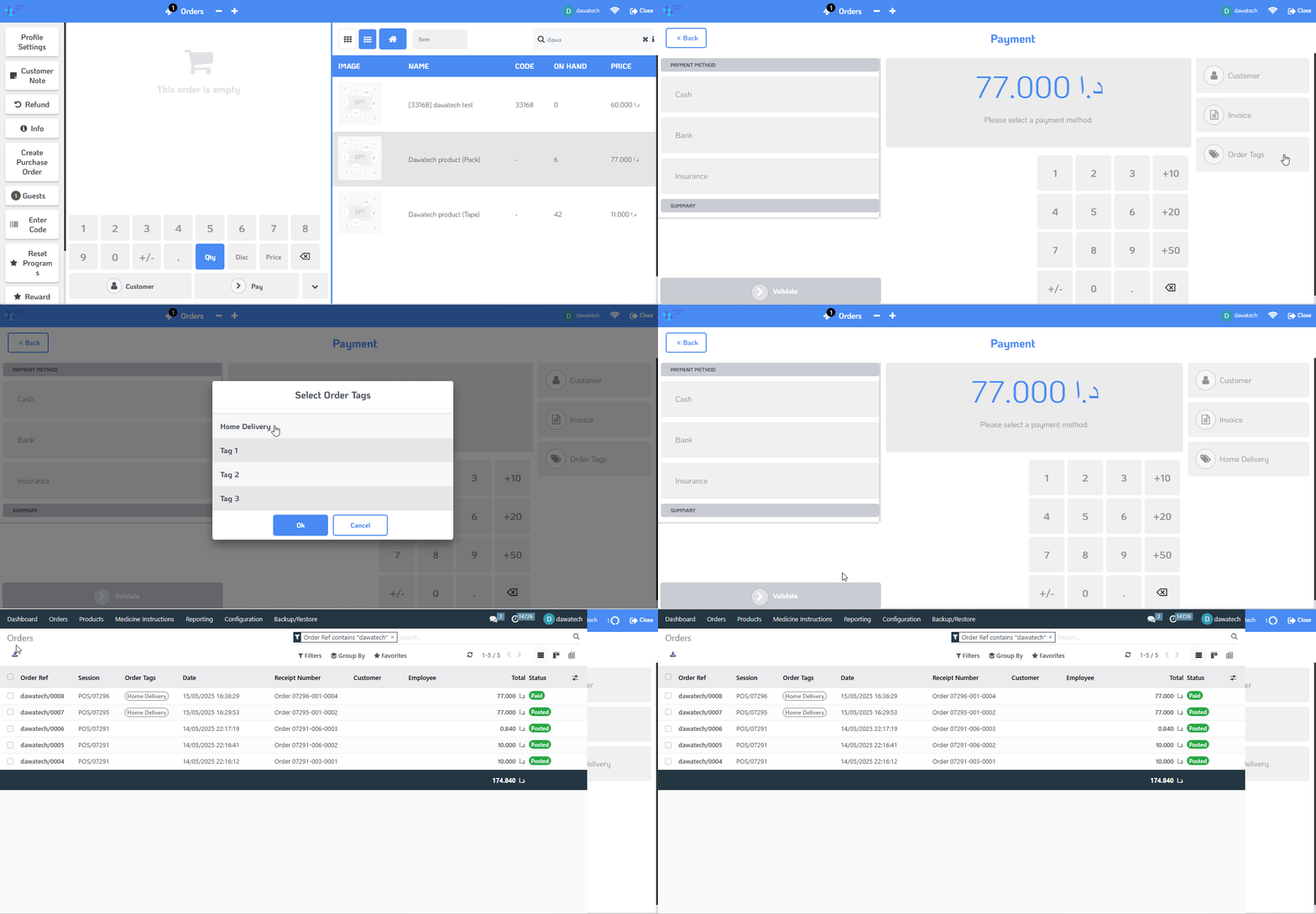
The Order Classification feature allows users to apply multiple Order Tags during the POS order process. These tags can be manually selected from a predefined list, enabling flexible and customizable order categorization.
✨ Value

This feature adds a layer of intelligence and clarity to order processing by:

- Enable more precise categorization of POS orders.
- Support better reporting, analytics, and operational insights.
- Ensure specific order types like Home Delivery are consistently tagged for accurate tracking.

Whether you're analyzing trends or refining workflows, Order Classification brings structured simplicity to your POS operations.
 ✅ How to use

1. Go to the POS module.
2.  After completing the order and before validate the order, navigate to the payment screen right panel then select the tag from the available Order Tags, for Home Delivery orders, note that the system auto-applies the related tag.
3.  Save and complete the order as usual.
Streamline your POS operations and gain deeper insights with the new Order Classification feature!
Was this article helpful?
That’s Great!
Thank you for your feedback
Sorry! We couldn't be helpful
Thank you for your feedback
Feedback sent
We appreciate your effort and will try to fix the article