
Add Stock Aging Report in Inventory Module
We’ve introduced a new Stock Aging Report in the Inventory module to give better visibility into how long items have been in stock.
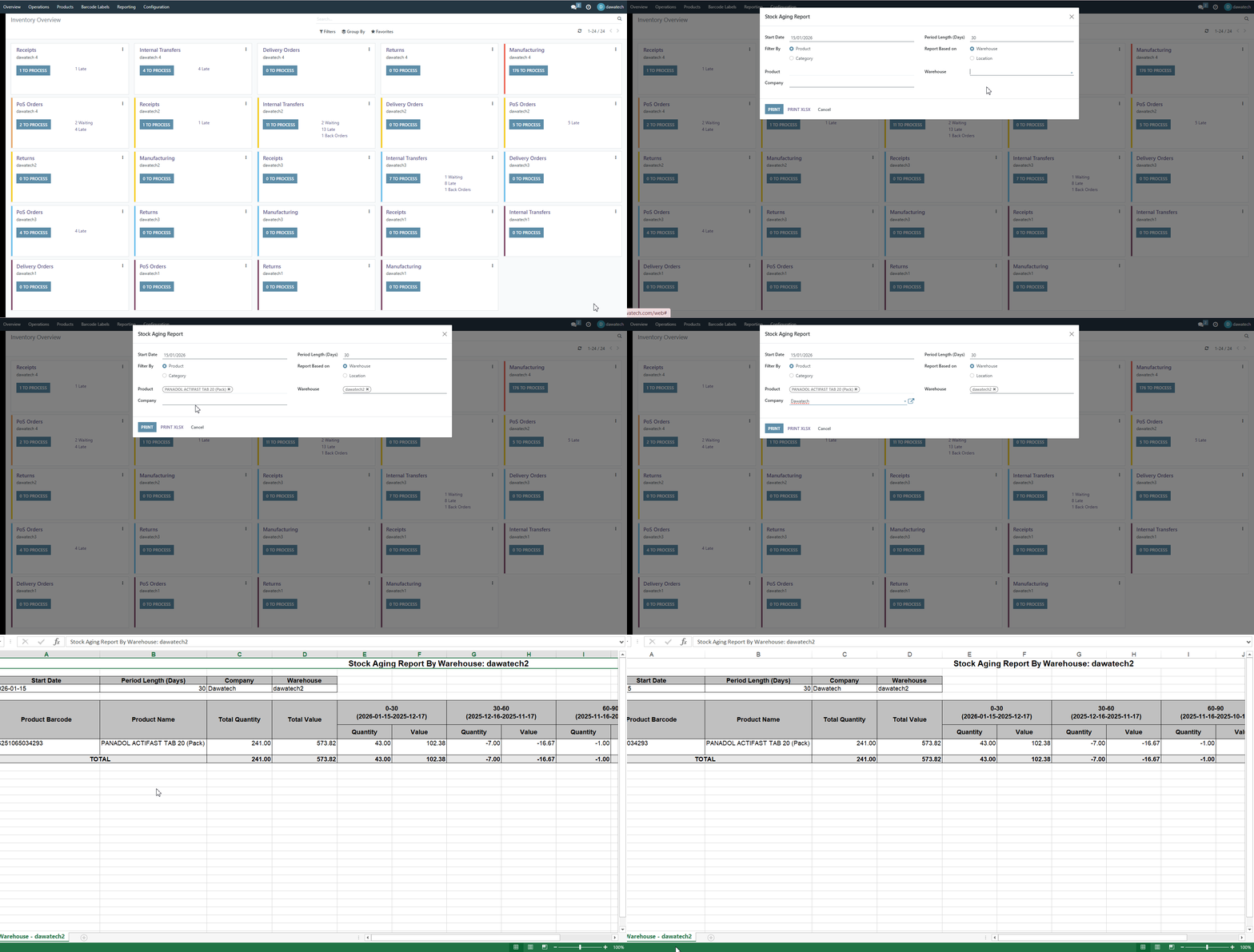
⚙️ Functionality

The new Stock Aging Report allows users to track the age of inventory items, monitor stock movement, and identify slow-moving or stagnant products. This report provides detailed insights into how long items remain in storage, helping teams take timely actions such as reordering, promotions, or clearance.
✨ Value

This enhancement helps improve inventory control and decision-making. By clearly identifying aging and slow-moving stock, users can reduce overstock, minimize waste, and optimize cash flow.
Better visibility, smarter decisions, and more efficient inventory management — all in one report.
Was this article helpful?
That’s Great!
Thank you for your feedback
Sorry! We couldn't be helpful
Thank you for your feedback
Feedback sent
We appreciate your effort and will try to fix the article