
Introducing our latest enhancement on Dashboard, which will improve your system experience and usability
Dashboard Manual Date Entry in "Select Period" Filter
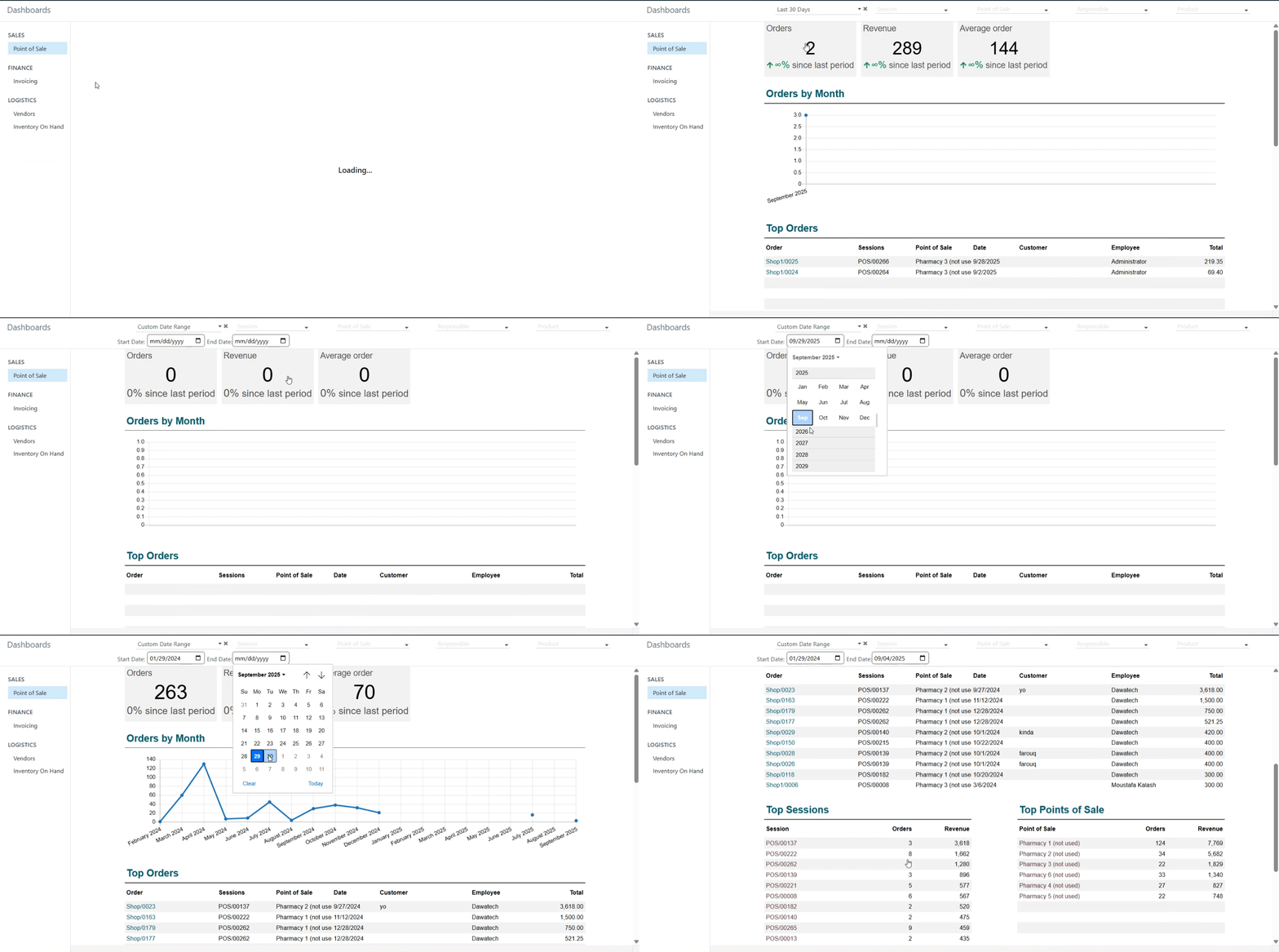
We’ve enhanced the dashboard module to give users more flexibility when analysing reports. Previously, users could only select predefined date ranges. Now, they can manually set their own start and end dates.
⚙️ Functionality

Users can now manually enter any date range in the “Select Period” filter.

Validation has been added to ensure that the end date cannot be earlier than the start date, with a clear alert message if that happens.

All predefined date options remain available and work as before.
✨ Value

This enhancement gives users greater control and flexibility in reporting.

You can now analyze performance for any specific timeframe you need beyond the fixed options.
Smarter date selection, more accurate insights — enjoy a more flexible dashboard experience!
Was this article helpful?
That’s Great!
Thank you for your feedback
Sorry! We couldn't be helpful
Thank you for your feedback
Feedback sent
We appreciate your effort and will try to fix the article